
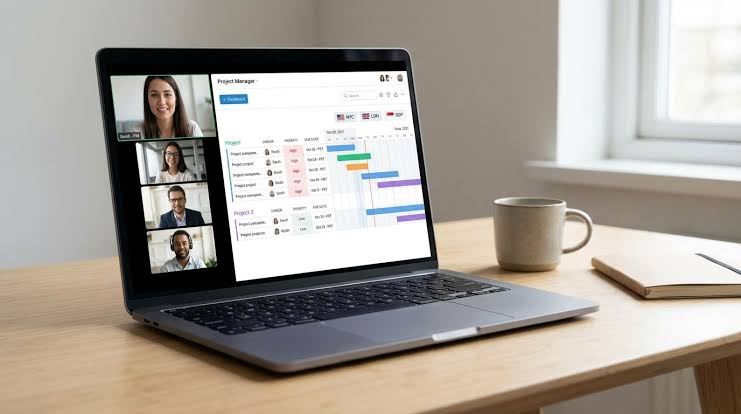
Remote work has changed how businesses manage projects, communicate with employees, and complete tasks. Teams can now work from different cities, countries, and time zones while collaborating on the same projects. However, managing remote employees can become challenging without the right tools. Missed deadlines, unclear responsibilities, scattered conversations, and poor task tracking can affect productivity.
The best project management software for remote teams helps businesses organize work, assign responsibilities, track progress, and keep everyone informed. Instead of relying on endless email threads and separate spreadsheets, teams can manage their projects through one organized workspace.
For businesses exploring practical technology solutions, resources such as scoopbyte can also provide a starting point for discovering digital tools and productivity-related information. Choosing the right project management platform, however, requires understanding your team’s workflow, budget, and collaboration needs.
What Is Project Management Software?
Project management software is a digital platform that helps teams plan, organize, execute, and monitor projects. It provides features for creating tasks, assigning work, setting deadlines, sharing files, and measuring progress.
For remote teams, these platforms are especially useful because employees may not share the same office or working hours. Everyone can access project information online, reducing confusion and making responsibilities easier to understand.
Most project management tools offer a combination of the following features:
- Task creation and assignment
- Project timelines and calendars
- Team communication and notifications
- File sharing and document management
- Progress tracking and reporting
- Integrations with other workplace applications
- Permissions and access controls
Not every team needs every feature. A small marketing agency may need task boards and content calendars, while a software development company may require sprint planning, issue tracking, and technical integrations.
Best Project Management Software for Remote Teams
Several project management platforms support remote collaboration. The right choice depends on team size, project complexity, and the way employees prefer to organize their work.
1. Asana: Best for Organizing Team Tasks
Asana is a project management platform designed to help teams coordinate work, assign responsibilities, and monitor deadlines.
Its task management features allow managers to divide larger projects into smaller activities. Each task can have an owner, due date, description, and supporting information.
Key features:
- Task assignment and deadline tracking
- Project boards and timeline views
- Workflow automation
- Project status updates
- Team collaboration features
Asana can work well for marketing departments, creative agencies, and business teams handling multiple projects simultaneously. Managers can see which tasks are complete, which are delayed, and who is responsible for the next step.
One consideration is that teams should establish clear workflows before adding numerous projects and notifications. Otherwise, employees may find the workspace unnecessarily complicated.
2. Trello: Best for Simple Visual Workflows
Trello uses a visual board system that helps teams organize tasks into lists and cards. A typical board might include columns such as To Do, In Progress, Under Review, and Completed.
Employees can move cards between columns as work progresses. This makes project status easy to understand without requiring lengthy meetings.
Key features:
- Drag-and-drop task boards
- Checklists and due dates
- File attachments
- Labels and task organization
- Workflow automation options
Trello is suitable for freelancers, small businesses, content teams, and remote groups that prefer a straightforward interface.
For example, a content marketing team can create a card for every article, assign a writer, set a deadline, and move the card through editing and publishing stages.
However, teams managing complicated dependencies or extensive reporting requirements may need additional tools or a more comprehensive platform.
3. Monday.com: Best for Customizable Workflows
Monday.com offers customizable project boards, dashboards, and workflow management features. Teams can adapt their workspace to different processes instead of following one fixed project structure.
A remote marketing team might use it to manage advertising campaigns, while an operations team could track client onboarding and internal requests.
Key features:
- Customizable project boards
- Timeline and calendar views
- Automated notifications
- Dashboards and reporting
- Integrations with workplace applications
Its flexibility makes it useful for teams with different departments and project types. Managers can create dashboards that show deadlines, task ownership, and project status.
The main consideration is setup time. Teams should begin with a simple workflow and introduce additional customization only when it solves a specific problem.
4. ClickUp: Best for All-in-One Project Management
ClickUp combines task management, project planning, documentation, and collaboration features in one platform. It can help remote teams reduce the need to switch between multiple applications.
Users can create tasks, organize projects, manage documents, and view workloads from different perspectives.
Key features:
- Multiple task views
- Custom fields and statuses
- Document collaboration
- Goals and progress tracking
- Automation and integrations
ClickUp can be useful for growing businesses that want a flexible workspace for several departments. For example, a product team can manage development tasks while a marketing team organizes campaign schedules within the same organization.
Because the platform includes many features, new users may need time to understand its settings. Creating a small number of standard workflows can make adoption easier.
5. Jira: Best for Software Development Teams
Jira is commonly used by software development teams to organize technical work, track issues, and manage agile projects.
Remote developers can use it to create tickets, assign bugs, prioritize features, and monitor progress across development cycles.
Key features:
- Issue and bug tracking
- Scrum and Kanban boards
- Sprint planning
- Workflow customization
- Development tool integrations
Jira is particularly useful for engineering teams that need visibility into complex technical projects. It helps developers, testers, and product managers coordinate work even when they operate from different locations.
However, businesses that only need basic task lists may find its specialized features unnecessary.
6. Basecamp: Best for Centralized Team Communication
Basecamp focuses on bringing project discussions, to-do lists, schedules, and files together in one place.
For remote teams, this approach can reduce scattered communication across email threads and messaging applications.
Key features:
- Project-specific message boards
- To-do lists
- Shared schedules
- File storage
- Team announcements and check-ins
Basecamp can suit agencies, consultants, and businesses that prioritize straightforward communication and project organization.
Its approach may be less suitable for teams requiring highly advanced reporting, detailed resource planning, or specialized development workflows.
How to Choose the Right Project Management Software
The best platform is not necessarily the one with the most features. It is the one your team can use consistently to complete work efficiently.
Identify Your Team’s Requirements
Start by identifying the main problems you want to solve. Are deadlines frequently missed? Do employees struggle to find project updates? Are managers unable to see who is responsible for specific tasks?
Write down your essential requirements before comparing software options.
A small remote team might need task assignments, deadlines, and file sharing. A larger organization may also need workload management, permissions, reporting, and automated workflows.
Compare Pricing and Free Plans
Project management platforms use different pricing structures. Some provide free plans with basic functionality, while others charge per user or reserve advanced features for paid subscriptions.
Review the current pricing details before making a decision. Consider the total cost for your team rather than looking only at the advertised starting price.
Check whether the plan includes essential features such as guest access, file storage, integrations, and reporting. A low-cost subscription may become expensive if additional features are required.
Evaluate Ease of Use
A tool is only useful when employees understand how to use it. Complicated software can lead to inconsistent updates and poor adoption.
Arrange a short trial with a small group of employees. Ask them to create tasks, update progress, share documents, and find project information.
Collect feedback before introducing the platform across the entire organization.
Check Integrations and Security
Remote teams often use separate applications for email, video meetings, document editing, and customer management. Project management software should integrate with the tools your employees already rely on.
Security is equally important. Review account permissions, authentication options, data protection policies, and administrative controls, especially if your projects contain confidential business information.
Best Practices for Managing Remote Projects
Choosing software is only one part of successful remote project management. Teams also need consistent processes and clear expectations.
Establish Clear Responsibilities
Every task should have an owner, a deadline, and a clearly defined outcome. When several employees are involved, identify who makes the final decision and who approves the completed work.
This reduces duplicated effort and helps team members understand their priorities.
Use Asynchronous Communication
Remote employees may work in different time zones. Instead of expecting everyone to respond immediately, document decisions and project updates in a shared workspace.
Use meetings when discussion or problem-solving requires real-time interaction. Routine updates can often be handled through task comments and written summaries.
Review Progress Regularly
Schedule brief project reviews to identify delays, resolve blockers, and adjust priorities. Focus on meaningful progress rather than measuring productivity through constant messages or online status indicators.
For practical guidance on managing distributed work and collaboration, consult the Atlassian Team Playbook, which offers resources and exercises for improving teamwork and team processes.
Keep Workspaces Organized
Create consistent naming conventions for projects, tasks, and files. Archive completed projects and remove unnecessary notifications where possible.
A well-organized workspace makes it easier for new employees to understand ongoing work and helps existing team members find information quickly.
Common Mistakes to Avoid
Even a capable project management platform cannot solve every organizational problem automatically. Avoid these common mistakes:
- Using too many tools: Too many overlapping applications can scatter information and increase costs.
- Adding unnecessary complexity: Excessive custom fields, boards, and automation can make routine work harder.
- Ignoring employee feedback: A system that does not fit the team’s workflow may be abandoned.
- Failing to update tasks: Outdated project information makes dashboards and reports unreliable.
- Expecting software to replace communication: Important decisions still require clear explanations and collaboration.
The goal is to make project information accessible, responsibilities clear, and progress measurable without creating unnecessary administrative work.
Conclusion
The best project management software for remote teams depends on the organization’s size, working style, budget, and project requirements. Asana is useful for coordinating tasks, Trello supports simple visual workflows, Monday.com offers customization, ClickUp combines multiple productivity features, Jira serves software development teams, and Basecamp emphasizes centralized communication.
Before committing to a platform, identify your essential requirements, compare available plans, and test the software with a small group. Establish clear responsibilities, document decisions, and review progress regularly.
With the right tool and consistent processes, remote teams can improve collaboration, manage deadlines more effectively, and keep projects moving forward regardless of where their employees work.
Guest Post Details
- Word count: Approximately 1,400 words
- Backlink placement: Second paragraph
- Backlink anchor text: scoopbytese
- Authority source: Atlassian Team Playbook
- External links: Exactly 2